Teacher's Companion
Make the Classroom Come Alive.
A Windows desktop classroom toolkit that helps teachers run engaging classroom activities, quizzes, reviews, and assessments — fully offline.
main-dashboard.png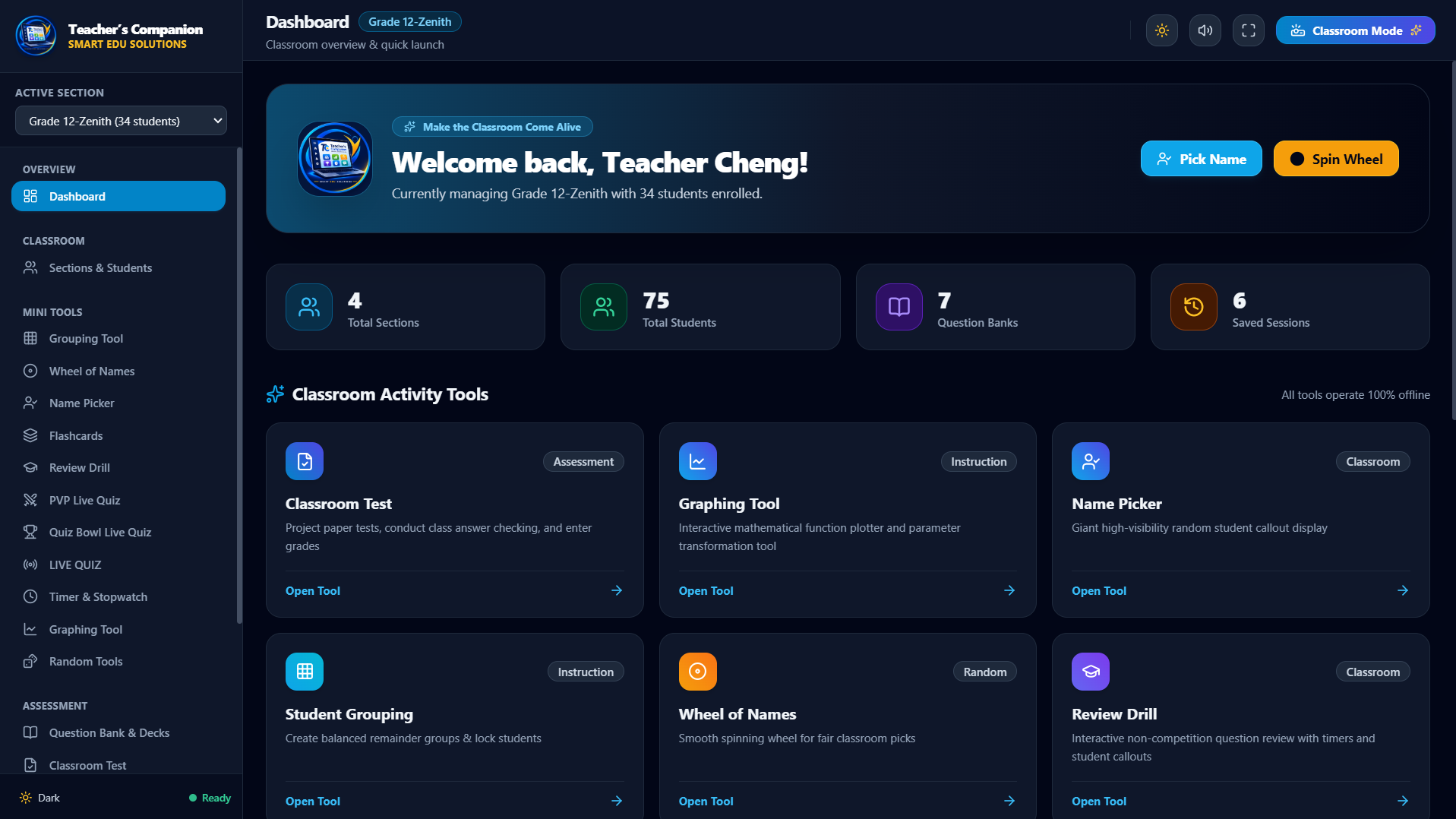
Works fully offline
No internet needed to run
No account required
Nothing to sign up for
Projector-ready
Large, high-contrast type
Flashcards for the classroom
A self-contained Front/Back review system built for the projector — turn a deck into a paced activity the whole class works through together.
- One large Front/Back card, sized for classroom TVs and projectors
- Manual pacing (Flip / Next / Previous) or hands-free Automatic mode
- Student Roll picks a learner from the active section, with sound cues
- Shuffle Cards and Don't Repeat Students keep every session fair
- Automatic timing from 3 to 20 seconds per step, with pause / resume
- Built-in decks for arithmetic facts and capitals; import / export your own
flashcard-review.png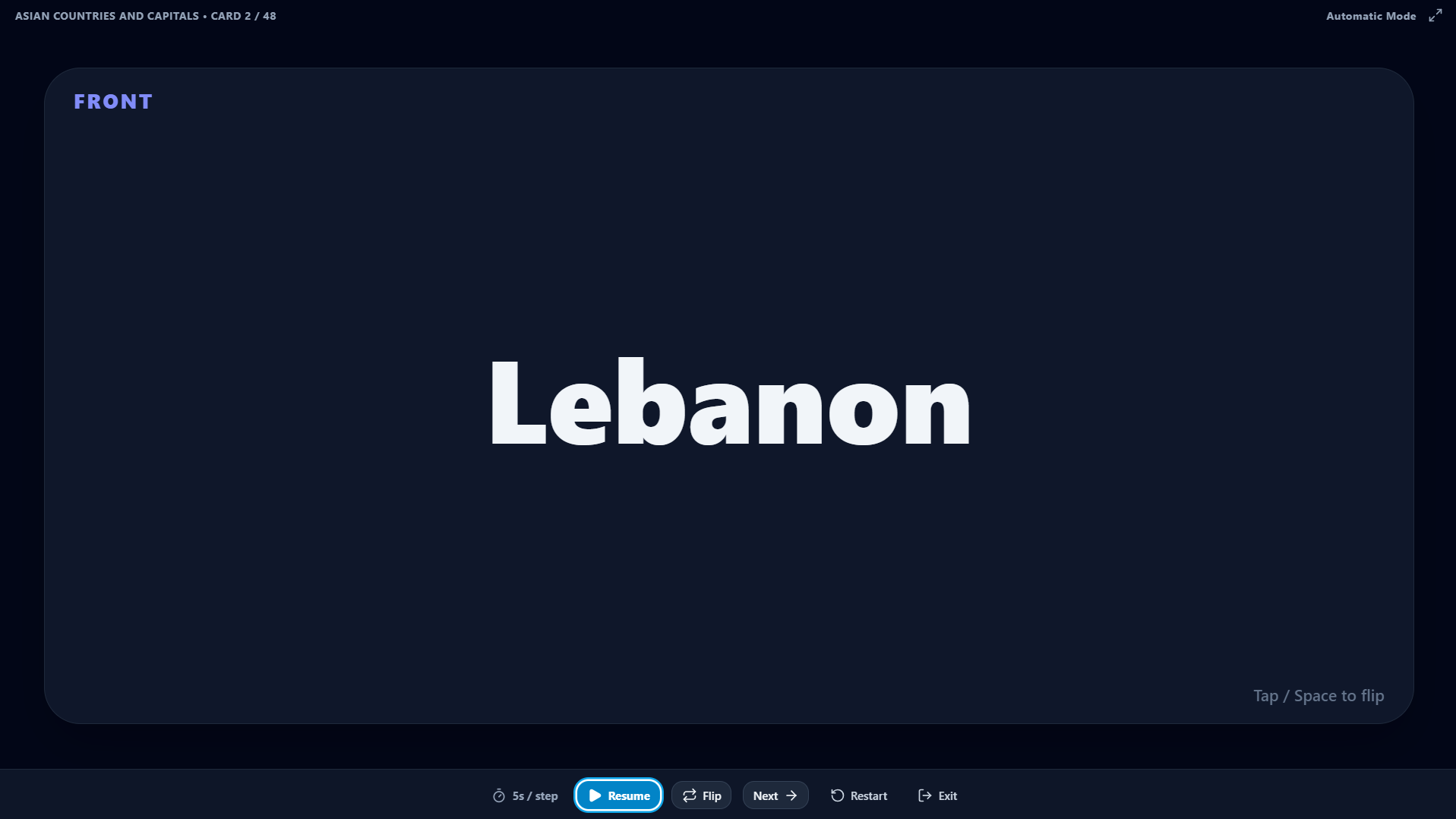
flashcard-decks.png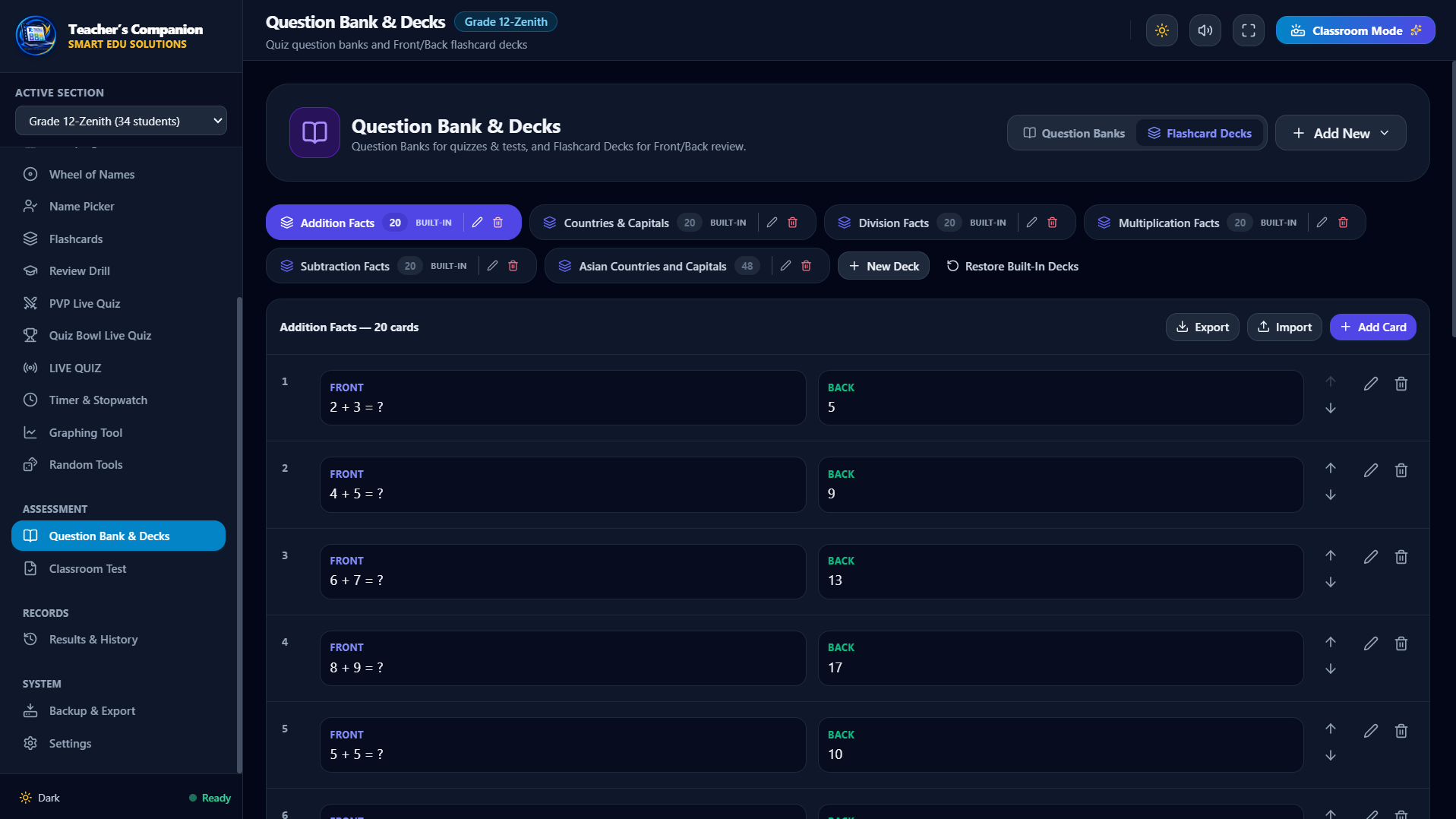
Deck management: add, edit, reorder, and import/export Front/Back cards. Built-in decks cover addition, subtraction, multiplication, division, and capitals.
flashcard-pregame.png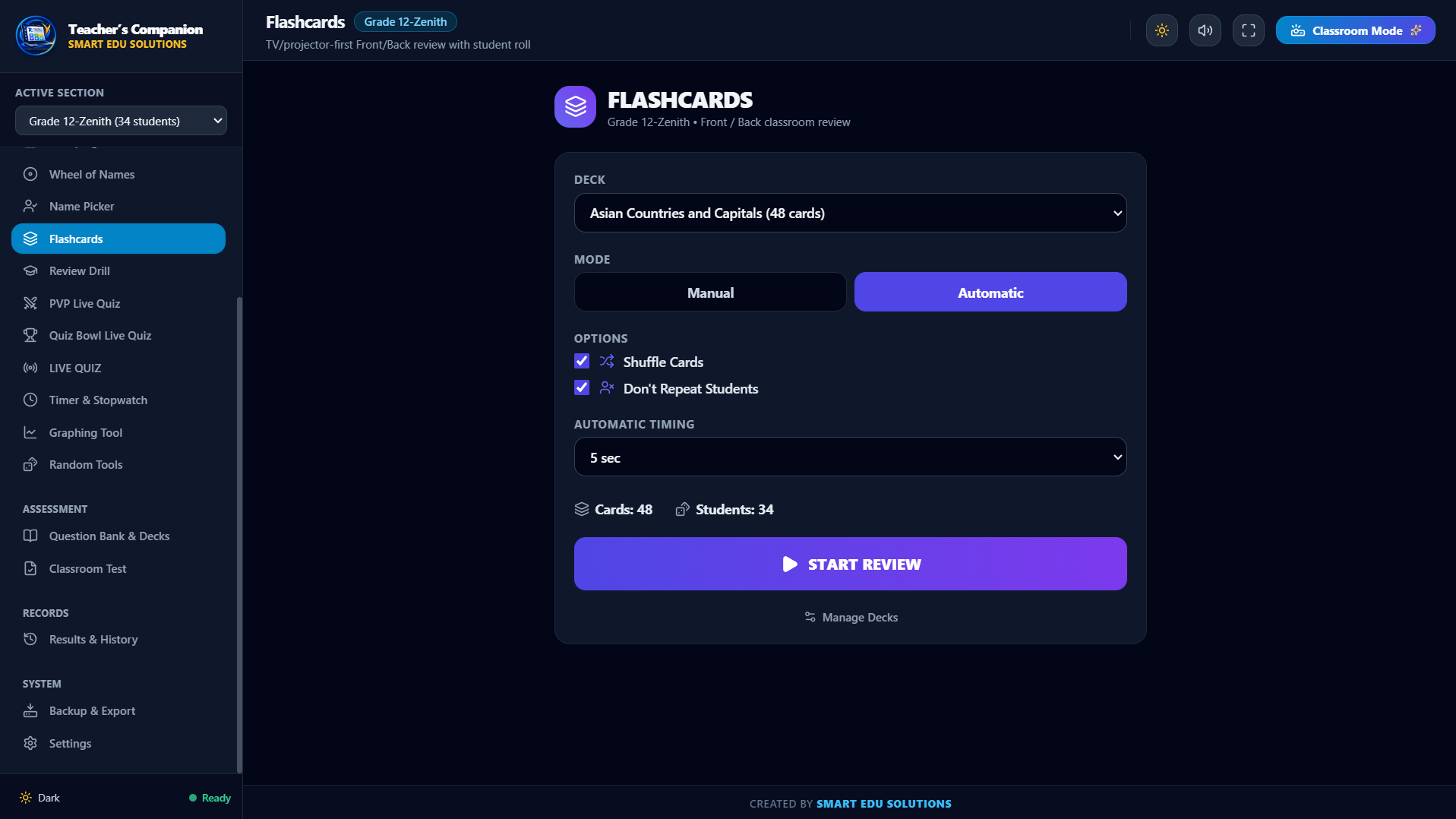
The Flashcards setup screen: choose a deck, Manual or Automatic mode, Shuffle Cards, Don't Repeat Students, and the automatic timing.
Everything in one desktop app
Grouped by what you're doing in the room. Every tool uses the class section you have active.
Classroom Review & Engagement
Turn review and recitation into activities the whole class takes part in.
Flashcards
New in v1.3.0Shows one big Front/Back card at a time, filling most of the screen with a slim control bar. Teachers can step through cards manually (Flip / Next / Previous / Roll Student) or let Automatic mode reveal and advance on a timer, so a review deck becomes a paced whole-class activity everyone can read from the back row.
Student Roll
New in v1.3.0During a Flashcards session, Student Roll runs a decelerating name animation that ends on one learner from the active section, with rolling and result sounds. 'Don't Repeat Students' holds each name back until everyone has been called, keeping recitation fair and lively without a seating chart.
Name Picker
Picks a single student at random from the current class list with large, projector-readable type and recent-pick memory. It keeps cold-calling quick and even-handed during discussion or recitation.
Wheel of Names
A canvas wheel populated from the active section that spins with real physics and tick sounds, then announces the selected student. Keep, Remove, or Spin Again controls and a spin history make random selection a shared moment the class watches together.
Interactive Graphing Tool
Plots mathematical functions instantly and updates as parameters change. It lets a maths teacher show how an equation behaves live on the board instead of drawing it by hand.
student-roll.png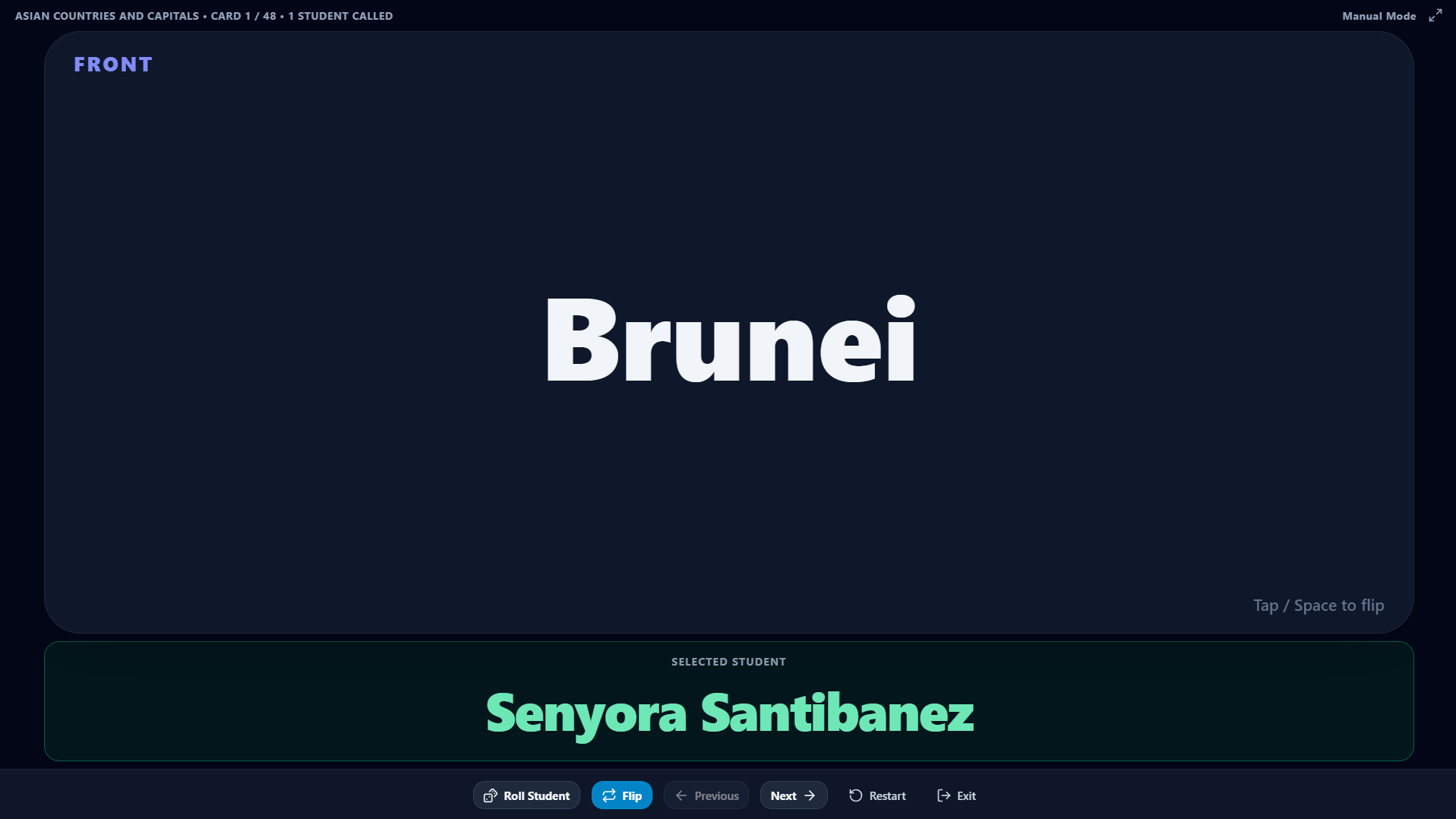
Student Roll settling on one learner from the active section, with rolling and result sound cues.
Quizzing & Assessment
Build questions once and run them as tests, drills, or live phone quizzes.
Question Bank & Decks
Organise Multiple Choice, True/False, and Identification questions into named banks, and Front/Back cards into flashcard decks, with search, one-click duplication, and CSV / JSON import-export. Build your material once and reuse it across every quiz, drill, and flashcard session.
Live Quiz
Offline LANStarts a local quiz server students join from their phones by link or QR code on the same Wi-Fi or hotspot, then answer in real time while the teacher sees the tally. It gives you whole-class formative checks with no accounts and no internet.
PVP Live Quiz
Runs head-to-head buzzer rounds — using keyboard keys A and L or connected phones — with lockout, teacher scoring, and automatic tournament brackets for 2 to 16 players. It turns practice questions into a focused, high-energy contest.
Quiz Bowl Live Quiz
Hosts a phone-connected trivia game for teams or the whole class with Easy / Average / Difficult rounds, a countdown timer with audio cues, a live-reordering leaderboard, and printable standings. It runs a full game-show review with the scoring handled for you.
Classroom Test
Displays a paper-based test on the projector and provides class answer-checking and grading against the answer key. It speeds up marking a shared test without moving to another app.
Review Drill
Walks students through questions from a bank in an interactive review format ahead of a quiz or exam. It gives structured practice on exactly the material you plan to assess.
live-quiz.png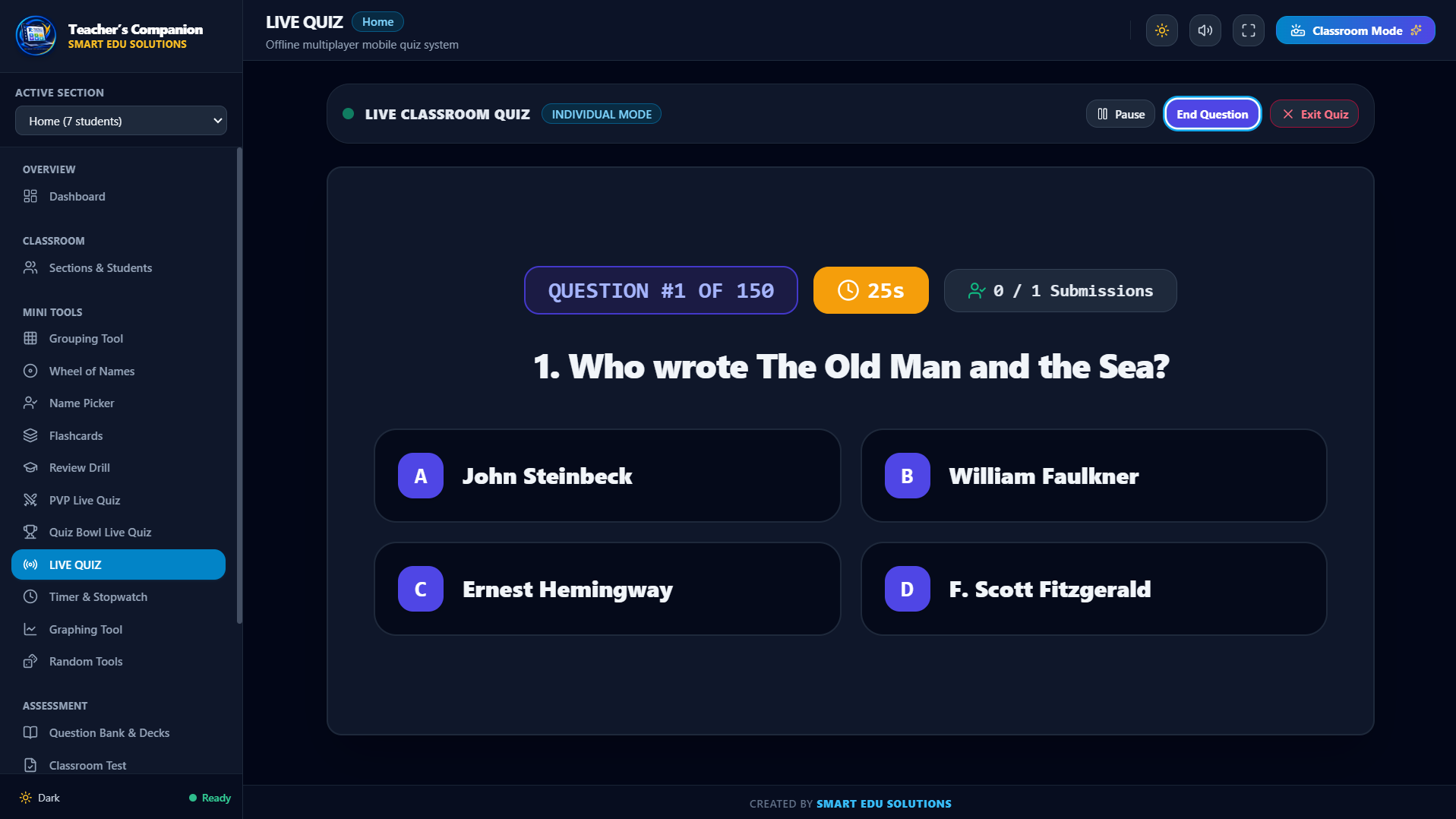
A live phone-connected quiz in progress: students join the teacher's local server and answers tally in real time — no internet required.
Class & Session Management
Set up a class list once; every tool uses the active section automatically.
Sections & Students
Manage several class sections and import students in bulk from plain text (one name per line) or CSV, with duplicate detection and active/inactive status. Set your classes up once and every tool draws from the section you have active.
Student Grouping
Splits the active section into groups whose sizes differ by at most one, with the option to lock individual students or whole groups and to avoid repeating recent pairings. It produces fair teams in one click without the same students always ending up together.
Classroom / Projector Mode
F11 (or a toggle) switches any tool into a distraction-free, high-contrast view with enlarged text and buttons. It makes every activity projector-ready without changing any settings.
Classroom Timer & Stopwatch
A large digital countdown with quick presets (1–15 minutes) and custom durations, plus a lap stopwatch, with an audible alert at zero. It keeps timed activities on schedule and visible to the whole room.
student-grouping.png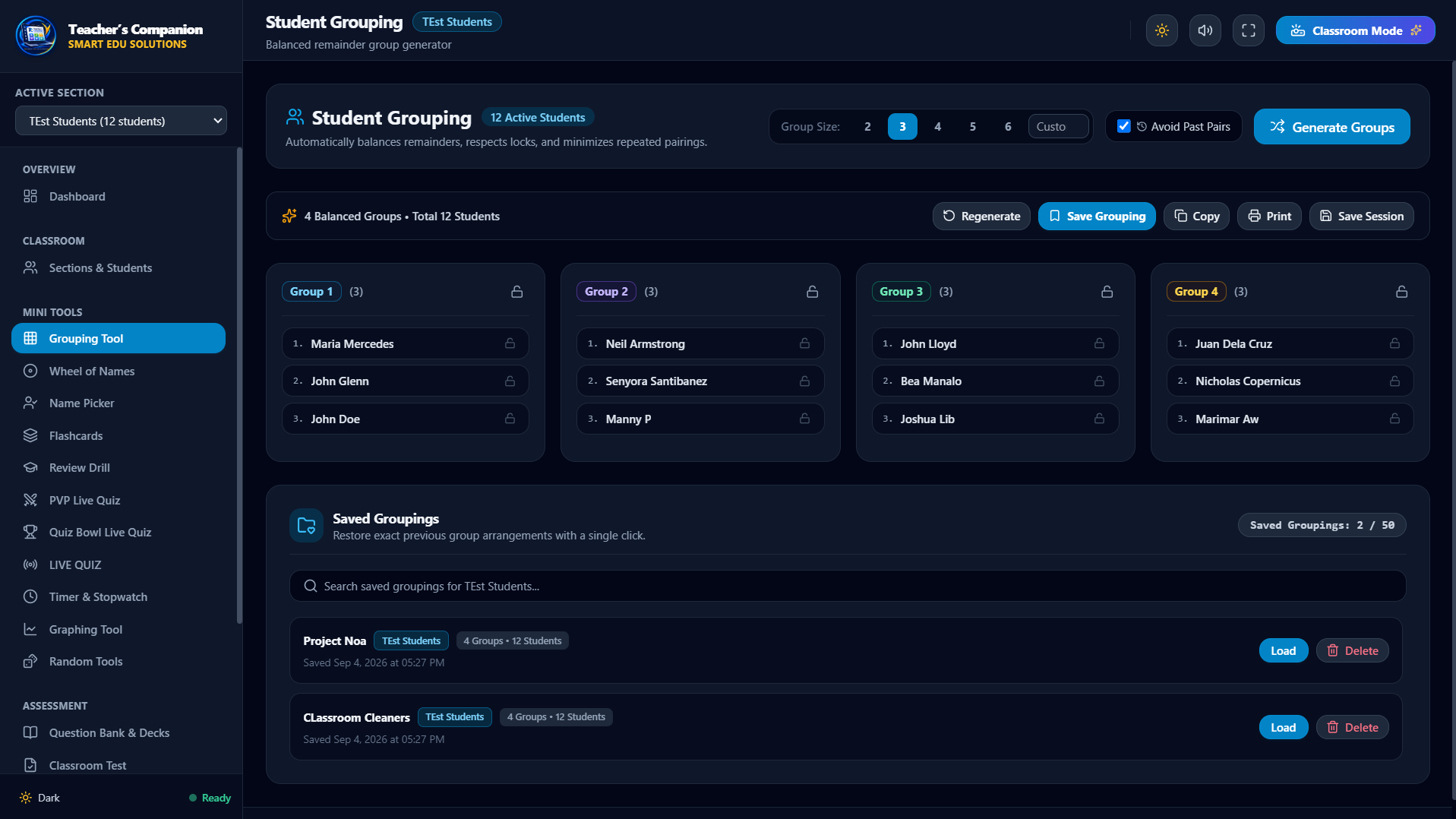
The grouping tool producing evenly sized teams, with lock controls and past-pairing avoidance.
Data & Convenience
Your data stays on your computer, and moves with you when you need it to.
100% Offline & Local
Every roster, question, deck, and result is stored in local storage on your computer; the app never makes network requests during normal use. It works in rooms with weak or no Wi-Fi and keeps student information private.
Backup & Restore
Creates a single portable backup file containing all sections, students, question banks, flashcard decks, and history, and restores it safely with validation. It lets you move your whole setup to another laptop or recover after a reinstall.
Import & Export
Questions and class lists move in and out as CSV, and flashcard decks as simple JSON. It makes sharing material with a colleague or preparing content offline straightforward.
Light & Dark Mode
The interface — including the Flashcards review, roll, and completion screens — can follow Windows' light/dark setting or be set manually. It stays comfortable to read on any classroom display or lighting.
question-bank-decks.png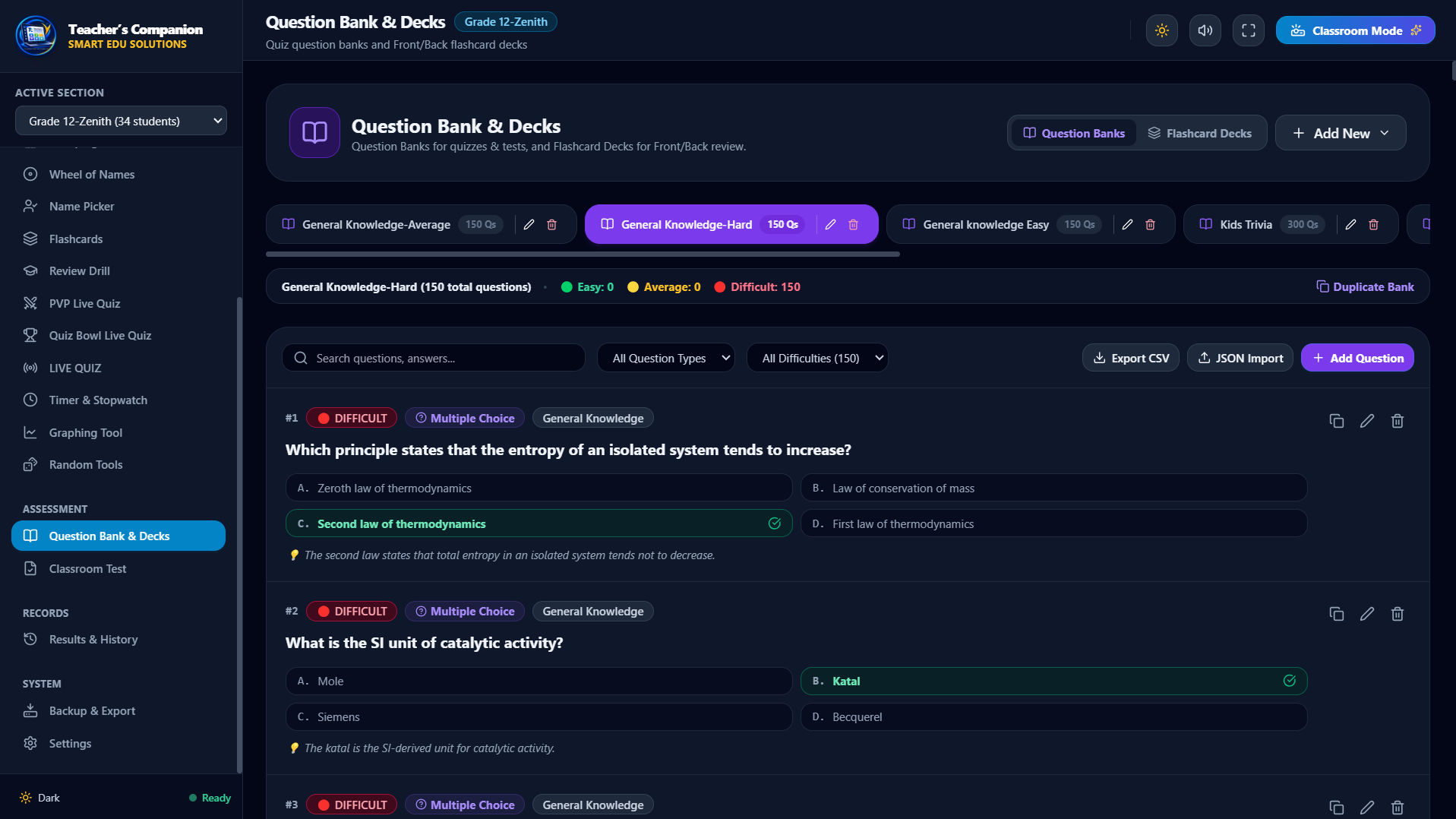
The renamed Question Bank & Decks area, holding reusable quiz banks and Front/Back flashcard decks side by side.
Also included
- Random Number Generator
- Yes / No coin flipper
- Built-in flashcard decks (addition, subtraction, multiplication, division, capitals)
- Restore Built-In Decks
- Results & History log
- Printable rosters, groups, and standings
System Requirements
Teacher's Companion is lightweight and designed to run smoothly on modern classroom computers.
Windows 10 or Windows 11 (64-bit)
Any modern Intel or AMD processor • 4 GB RAM
About 200 MB of free disk space
1280 × 720 or higher (projector / classroom TV friendly)
• The application runs fully offline once installed.
• An internet connection is only needed to download the app, download updates, and activate a paid license.
• For Live Quiz, PVP, and Quiz Bowl, student phones join the teacher's computer over the same Wi-Fi or hotspot — no public internet required.
What's New
Discover the latest features, enhancements, and tools added to Teacher's Companion.
Introducing Flashcards
Simple Lifetime Licensing
Choose the license that fits your teaching needs. One-time payment, no recurring subscriptions.
SINGLE
Lifetime license
DUO
Lifetime license
FAMILY
Lifetime license
ENTERPRISE
Custom licensing